三种风力发电机
小型是杆子上装着三片叶片和一个尾翼,会自己转向迎风。中型是一根竖轴配两片半圆筒,哪个方向来的风都能接住。大型是高桅杆上的三片叶片,时不时来一阵风,整个机头会跟着转过去。每种都有自己的模型和图标。
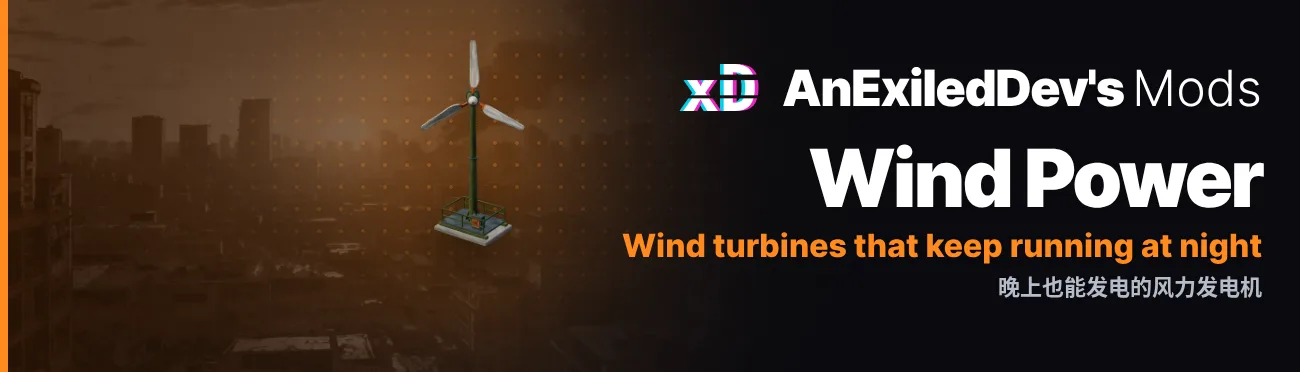
小型是杆子上装着三片叶片和一个尾翼,会自己转向迎风。中型是一根竖轴配两片半圆筒,哪个方向来的风都能接住。大型是高桅杆上的三片叶片,时不时来一阵风,整个机头会跟着转过去。每种都有自己的模型和图标。
默认设置下「大雾霾天」完全不转,「重度寒潮」风最大,三种平均分别发 9、18 和 36。每种天气的数字见下面的表。
风会随时间时大时小,上下最多浮动 30%,发电量和叶片转速也跟着变,几天下来会平均回来。「Variation」设置控制浮动幅度,设为 0 就没有浮动。
中型和大型装在二楼露台,比装在屋外空地多发 20% 的电。露台没有小型家具位,所以小型只能装在屋外空地。
每种都要装在户外同尺寸的家具位上,室内装不了。
小型和中型的配方和中型太阳能板的一起出现,在主线任务「拼装太阳能板」开始时。大型和铅酸蓄电池包裹的一起出现,在主线任务「把电存下来」开始时。存档已经过了这两个任务的话,读档时就会拿到配方。
小型是杆子上装着三片叶片和一个尾翼,会自己转向迎风。中型是一根竖轴配两片半圆筒,哪个方向来的风都能接住。大型是高桅杆上的三片叶片,时不时来一阵风,整个机头会跟着转过去。每种都有自己的模型和图标。
默认设置下「大雾霾天」完全不转,「重度寒潮」风最大,三种平均分别发 9、18 和 36。每种天气的数字见下面的表。
风会随时间时大时小,上下最多浮动 30%,发电量和叶片转速也跟着变,几天下来会平均回来。「Variation」设置控制浮动幅度,设为 0 就没有浮动。
中型和大型装在二楼露台,比装在屋外空地多发 20% 的电。露台没有小型家具位,所以小型只能装在屋外空地。
每种都要装在户外同尺寸的家具位上,室内装不了。
小型和中型的配方和中型太阳能板的一起出现,在主线任务「拼装太阳能板」开始时。大型和铅酸蓄电池包裹的一起出现,在主线任务「把电存下来」开始时。存档已经过了这两个任务的话,读档时就会拿到配方。
小型风力发电机包裹需要 3 个铁皮、1 个铁丝和 1 个电器元件。中型需要 4 个铁皮、2 个铁丝和 2 个电器元件。大型需要 5 个铁皮、3 个铁丝、3 个电器元件和 1 个不锈钢板。拆掉时大约返还一半材料。
灾难前,「经典家具综合」商店三种各卖 2 台,小型 30,中型 60,大型 120。
和其他家具一样能染成游戏里的 8 种颜色,也可以在配方卡上选好染料,直接做出彩色的。只有橄榄绿的漆会变色,橙色条纹和叶片不变。
天气框里多一行「风力」,例如「和风 (35%/100%)」,鼠标悬停在风力发电机上,能看到它现在的发电量和风有多大。100% 是满风力,阵风时可以超过。
每台风力发电机的发电量、材料、拆除返还、商店价格和库存都由你决定,可以在 Mod Manager 的「模组」界面改,也可以改配置文件。用 Mod Manager 0.14.0 或更新版本时,材料用物品卡片来选,拆除返还比配方还值钱时界面会提醒你。
游戏会把每台风力发电机存成同尺寸的太阳能板,所以没有本模组存档也能读取。移除前先打开 UninstallPrep,不然背包和储物里的风力发电机包裹会丢失。步骤见下面的「卸载」。
所有名称和说明都有中文和英文。
默认设置下(发电量 9、18 和 36),各种天气里每种风力发电机的平均发电量。在「重度寒潮」里风力发电机发出它的全部发电量,风会让这些数字随时间上下浮动,最多 30%。每种天气的风力也是一个设置,在 Weather 部分。游戏里怎么看风力,见下面的「怎么看风力」。
大雾霾天:0,风力发电机不转。
霜晴、寒晴和凛晴:小型 1,中型 2,大型 4。二楼露台上中型 2,大型 4。
晴天:小型 1,中型 2,大型 4。二楼露台上中型 3,大型 5。
阴天:小型 2,中型 4,大型 7。二楼露台上中型 4,大型 9。
雨天:小型 3,中型 6,大型 13。二楼露台上中型 8,大型 15。
持续阴雨:小型 4,中型 8,大型 16。二楼露台上中型 10,大型 19。
轻度寒潮和轻度寒雨:小型 5,中型 10,大型 20。二楼露台上中型 12,大型 24。
暴雨:小型 7,中型 14,大型 27。二楼露台上中型 16,大型 32。
中度寒潮和中度寒雨:小型 7,中型 14,大型 29。二楼露台上中型 17,大型 35。
重度寒潮和重度寒雨:小型 9,中型 18,大型 36。二楼露台上中型 22,大型 43。
天气框里有一行「风力」,例如「和风 (35%/100%)」。前面的词告诉你风有多大,后面的百分比是现在的风相当于满风力的多少,满风力就是默认设置下「重度寒潮」里的平均风力。100% 不是上限:阵风时会超过 100%,默认设置下最高到 130%。
风力发电机的发电量,就是它的发电量设置乘以这个百分比。大型默认是 36,风力 35% 时大约发 13,100% 时发 36,130% 的阵风里大约发 47。装在二楼露台上还会再多发 20%。
每个词的意思,以及通常在什么天气里看到:
无风(0%):大雾霾天,风力发电机不转。
微风(1-29%):晴天和阴天。
和风(30-49%):雨天和持续阴雨。
强风(50-89%):轻度寒潮、中度寒潮和暴雨。
大风(90% 以上):重度寒潮。
鼠标悬停在风力发电机上,能看到它现在的发电量,下面写着它的发电量设置和同样的风力,例如「额定 36, 雨天风力 和风 (35%/100%)」。
装了 Power Manager 0.4.0 或更新版本时,它的 Wind 设置能让所有风力发电机变强或变弱,就像它的太阳能设置对太阳能发电板一样。这时悬停显示的额定值会算上这个设置,风力显示不变。装了 Power Manager 0.5.0 或更新版本时,它的 SmogOutput 设置还能让「大雾霾天」也有风(为晴天风力的一部分),风力发电机在那时也会转动发电。
Survival Log 1.1.20719。游戏更新后,在模组更新前可能无法使用。
BepInEx for Survival Log,请先安装。
Exiled's Toolkit 0.19.0 或更新版本。没有它本模组不会加载。它让在 Mod Manager 的「模组」界面改动的设置无需重启游戏即可生效。
可选:Mod Manager。装了它,可以在游戏里它的「模组」界面修改每项设置,并看到每项的说明,不用打开配置文件。每台风力发电机的材料和拆除返还都显示为物品卡片,带物品图片和名称:从列表里挑物品、设好数量即可,不用查物品编号。
BepInEx\config\com.dev.survivallog.windpower.cfg在 Mod Manager 的「模组」界面修改,或在游戏关闭时编辑这个文件。[Dismantle]50 is about half, like the game's furniture: the Large Wind Turbine gives back 3 Scrap Metal, 2 Wire and 1 Electronic Components. 0 gives nothing back and 100 gives back everything. Each material's share is rounded down, then topped up one at a time to the right total. A turbine whose Returns list is filled in gives back that list instead. Any value from 0 to 100.[LargeTurbine]Variation moves it up and down. Calmer weather gives a share of it: none in Heavy Smog, about a third in rain. A turbine on the 2F terrace makes 20% more. Any value from 1 to 200.BepInEx\LogOutput.log saying why. Taking the turbine down gives back a share of these (see Returns and ReturnPercent).Materials. Blank gives back the ReturnPercent share of its materials. none gives nothing back. A list gives back exactly that, and may name any items, not only the recipe's. Up to 7 different items and up to 99 of each. A list the game cannot use (one it cannot read, or an item that does not exist) gives back the ReturnPercent share instead, with a line in BepInEx\LogOutput.log saying why.0 to 9999.0 takes them off the shelves. A shop that already has more than this is brought down to it, and turbines you already bought stay yours. Any value from 0 to 20.[MediumTurbine]Variation moves it up and down. Calmer weather gives a share of it: none in Heavy Smog, about a third in rain. A turbine on the 2F terrace makes 20% more. Any value from 1 to 200.BepInEx\LogOutput.log saying why. Taking the turbine down gives back a share of these (see Returns and ReturnPercent).Materials. Blank gives back the ReturnPercent share of its materials. none gives nothing back. A list gives back exactly that, and may name any items, not only the recipe's. Up to 7 different items and up to 99 of each. A list the game cannot use (one it cannot read, or an item that does not exist) gives back the ReturnPercent share instead, with a line in BepInEx\LogOutput.log saying why.0 to 9999.0 takes them off the shelves. A shop that already has more than this is brought down to it, and turbines you already bought stay yours. Any value from 0 to 20.[SmallTurbine]Variation moves it up and down. Calmer weather gives a share of it: none in Heavy Smog, about a third in rain. A turbine on the 2F terrace makes 20% more. Any value from 1 to 200.BepInEx\LogOutput.log saying why. Taking the turbine down gives back a share of these (see Returns and ReturnPercent).Materials. Blank gives back the ReturnPercent share of its materials. none gives nothing back. A list gives back exactly that, and may name any items, not only the recipe's. Up to 7 different items and up to 99 of each. A list the game cannot use (one it cannot read, or an item that does not exist) gives back the ReturnPercent share instead, with a line in BepInEx\LogOutput.log saying why.0 to 9999.0 takes them off the shelves. A shop that already has more than this is brought down to it, and turbines you already bought stay yours. Any value from 0 to 20.[Uninstall]WindPower.dll. BepInEx\LogOutput.log says what was changed. Turning it off again does not turn the packages back.[Weather]How hard the wind blows in each weather, as a percent of full wind. A turbine makes its RatedPower times this, and Variation moves it up and down over the hours. 100 is full wind and 0 is still air, where the turbines stand still. Weathers that differ only in rain share one setting. Each is any value from 0 to 200.
SmogOutput setting can give it some wind.[Wind]0 keeps the wind steady for as long as the weather lasts. Any value from 0 to 60.没有符合的设置。
SurvivalLog.exe 所在的文件夹)。压缩包里带有 BepInEx 文件夹,DLL 会自动放到正确位置。如果提示合并文件夹,选择合并。解压后应为:C:\Program Files (x86)\Steam\steamapps\common\Survival Log\BepInEx\plugins\WindPower.dllSurvival Log\
├─ SurvivalLog.exe
└─ BepInEx\
├─ plugins\
│ └─ WindPower.dll
└─ config\
└─ com.dev.survivallog.windpower.cfg (首次启动时生成)
与 Nexus 上相同的压缩包,从本站下载,无需账号。解压到游戏文件夹即可。
WindPower-0.9.4.zip (2.6 MB)
SHA-256 38502925035fb9d35c071c784508876c3447863c980c9be06cb4d66230a8ffc0
没有本模组时,背包和储物里的风力发电机包裹会丢失,所以请先打开 UninstallPrep 并读取存档:所有风力发电机包裹都会变成同尺寸、同颜色的太阳能发电板包裹。存档并退出,再从 BepInEx\plugins 文件夹中删除 WindPower.dll。每个想保留的存档都要这样做一次。
可以在游戏内 Mod Manager 的「模组」界面修改,也可以在游戏关闭时编辑 BepInEx\config\com.dev.survivallog.windpower.cfg。配置文件中每项设置都有中文说明,完整说明见 CONFIG.md(英文)。所有设置都即时生效。
更新日志只有英文版。
「UninstallPrep」只处理开启时读取的那个存档,所以每个想保留的存档,在移除模组前都要各自读取一次并保存。
获取 Mod Manager,在游戏里设置所有模组。打开 Survival Log 维基,物品、配方、地图一查就有。
发现 bug 或有好点子?欢迎来 Core Directive Discord 打个招呼,或在Nexus 页面的「Posts」标签里发帖。报告 bug 时,请附上 BepInEx\LogOutput.log。
想直接联系我,可以在 Discord 上给 exiled.dev 发消息,我在 Survival Log 官方 Discord 里。也可以在 X 上找我:@AnExiledDev。