Survival LogWiki
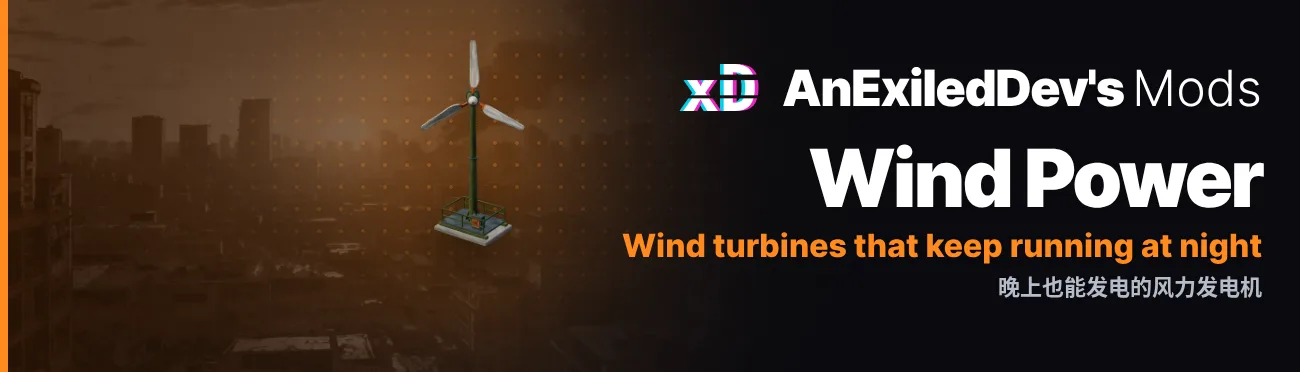
Wind Power: Adds craftable Small, Medium and Large Wind Turbines that make power outdoors, day and night.

Home / Mods

Wind Power

Adds craftable Small, Medium and Large Wind Turbines that make power outdoors, day and night.

Version
0.9.4
Game build
1.1.20719
Category
Gameplay
Settings
28
Hotkeys
None
Versions
19
Languages
English, 中文

Wind Power adds three wind turbines to Survival Log, a Small, a Medium and a Large. They keep making power after dark, so your base still has power at night once the solar panels stop, and the stronger the wind, the more they make. A turbine makes less than the solar panel of the same size though, since it runs day and night.

Highlights

Three turbines

the Small has three blades and a tail on a pole, and turns itself to face the wind. The Medium is an upright rotor made of two half drums, so it catches wind from any side. The Large has three blades on a tall mast, and every so often a gust comes through and swings the whole top around. Each one has its own model and icon.

Power day and night

at the default settings Heavy Smog stops them completely, and Severe Cold is the windiest weather, where they average 9, 18 and 36. Every weather's numbers are in the table below.

The wind changes

the wind picks up and dies down over the hours, by up to 30% either way, and the turbines and their blades follow it. It averages out over a few days. The Variation setting controls how much it swings, and 0 turns it off.

2F terrace bonus

the Medium and Large make 20% more on the 2F terrace than in the yard. The Small only fits the yard, since the terrace has no small spots.

Outdoors only

each turbine goes in an outdoor furniture spot of its size, never indoors.

Unlocked by the story

the Small and Medium recipes unlock with the Medium Solar Panel's, when [Main Quest] Assemble Solar Panels starts. The Large unlocks with the Lead-Acid Battery Pack's, at [Main Quest] Store the Electricity. If your save is already past those quests, you get the recipes when it loads.

See all 13 features

Everything it does 13

Three turbines

the Small has three blades and a tail on a pole, and turns itself to face the wind. The Medium is an upright rotor made of two half drums, so it catches wind from any side. The Large has three blades on a tall mast, and every so often a gust comes through and swings the whole top around. Each one has its own model and icon.

Power day and night

at the default settings Heavy Smog stops them completely, and Severe Cold is the windiest weather, where they average 9, 18 and 36. Every weather's numbers are in the table below.

The wind changes

the wind picks up and dies down over the hours, by up to 30% either way, and the turbines and their blades follow it. It averages out over a few days. The Variation setting controls how much it swings, and 0 turns it off.

2F terrace bonus

the Medium and Large make 20% more on the 2F terrace than in the yard. The Small only fits the yard, since the terrace has no small spots.

Outdoors only

each turbine goes in an outdoor furniture spot of its size, never indoors.

Unlocked by the story

the Small and Medium recipes unlock with the Medium Solar Panel's, when [Main Quest] Assemble Solar Panels starts. The Large unlocks with the Lead-Acid Battery Pack's, at [Main Quest] Store the Electricity. If your save is already past those quests, you get the recipes when it loads.

Crafting

the Small Wind Turbine Package takes 3 Scrap Metal, 1 Wire and 1 Electronic Components. The Medium takes 4 Scrap Metal, 2 Wire and 2 Electronic Components. The Large takes 5 Scrap Metal, 3 Wire, 3 Electronic Components and 1 Stainless Steel Plate. Taking one down gives you back about half.

Buying

before the disaster, the Classic Furniture shop sells 2 of each, the Small for 30, the Medium for 60 and the Large for 120.

Dyeable

dye them in any of the game's 8 colours like your other furniture, or pick a dye on the recipe card to craft one already coloured. Only the olive paint changes colour, the orange stripes and blades stay the same.

Wind readout

the weather box shows a Wind line, such as Moderate (35%/100%), and hovering over a turbine shows what it's making right now and how strong the wind is. 100% is full wind, and a gust can go past it.

Fully configurable

you set each turbine's power, materials, what it gives back when taken down, shop price and shop stock, on the Mod Manager's Mods screen or in the config file. With Mod Manager 0.14.0 or newer you pick the materials from item cards, and the screen warns you if a turbine would give back more than its recipe costs.

Safe to remove

the game saves each turbine as the solar panel of its size, so your save still loads without the mod. Turn on UninstallPrep before you remove it, or the turbine packages in your bag and storage are lost. The steps are under Uninstall below.

English and Chinese

every name and description is in both languages.

Power output

What each turbine makes on average at the default settings (power 9, 18 and 36), by weather. A turbine makes its full power setting in Severe Cold, and the wind moves these up and down by up to 30% over the hours. Each weather's wind is a setting too, in the Weather section. How to read the wind in game is under Reading the wind below.

Heavy Smog: 0, the turbines stand still.
Frosty/Clear, Cold/Clear and Chilly/Clear: Small 1, Medium 2, Large 4. On the 2F terrace, Medium 2 and Large 4.
Clear: Small 1, Medium 2, Large 4. On the 2F terrace, Medium 3 and Large 5.
Cloudy: Small 2, Medium 4, Large 7. On the 2F terrace, Medium 4 and Large 9.
Rainy: Small 3, Medium 6, Large 13. On the 2F terrace, Medium 8 and Large 15.
Continuous Rain: Small 4, Medium 8, Large 16. On the 2F terrace, Medium 10 and Large 19.
Mild Cold and Mild Cold Rain: Small 5, Medium 10, Large 20. On the 2F terrace, Medium 12 and Large 24.
Heavy Rain: Small 7, Medium 14, Large 27. On the 2F terrace, Medium 16 and Large 32.
Moderate Cold and Moderate Cold Rain: Small 7, Medium 14, Large 29. On the 2F terrace, Medium 17 and Large 35.
Severe Cold and Severe Cold Rain: Small 9, Medium 18, Large 36. On the 2F terrace, Medium 22 and Large 43.
Reading the wind

The weather box has a Wind line, such as Moderate (35%/100%). The word tells you how strong the wind is. The percent tells you how hard it's blowing compared to full wind, which is the average wind in Severe Cold at the default settings. 100% isn't the top: a gust can push it past 100%, up to 130% at the default settings.

A turbine makes its power setting times that percent. The Large is set to 36, so at 35% it makes about 13, at 100% it makes 36, and in a 130% gust it makes about 47. On the 2F terrace it makes 20% more on top of that.

What each word means, and the weather you'll usually see it in:

Calm (0%): Heavy Smog. The turbines stand still.
Light (1-29%): clear and cloudy days.
Moderate (30-49%): Rainy and Continuous Rain.
Strong (50-89%): Mild Cold, Moderate Cold and Heavy Rain.
Gale (90% and up): Severe Cold.

Hover over a turbine to see what it's making right now, with its power setting and the same wind reading below it, such as Rated 36, Rainy wind Moderate (35%/100%).

With Power Manager 0.4.0 or newer, its Wind setting makes every turbine stronger or weaker, like its solar setting does for the panels. The hover's rating then shows the turbine's power with it, and the wind reading stays as it is. With Power Manager 0.5.0 or newer, its SmogOutput setting can also give Heavy Smog some wind, as a share of a Clear day's, so the turbines turn and make power there too.

Settings 28

Saved inBepInEx\config\com.dev.survivallog.windpower.cfgChange them on the Mod Manager's Mods screen, or edit the file with the game closed.

Dismantle

[Dismantle]
ReturnPercent
Number
Default 50
How much of a turbine's materials taking it down gives back, as a percent of its recipe. 50 is about half, like the game's furniture: the Large Wind Turbine gives back 3 Scrap Metal, 2 Wire and 1 Electronic Components. 0 gives nothing back and 100 gives back everything. Each material's share is rounded down, then topped up one at a time to the right total. A turbine whose Returns list is filled in gives back that list instead. Any value from 0 to 100.
From 0 to 100
拆除风力发电机时返还多少材料,按配方的百分比计。50 约为一半,和游戏自带的家具一样。0 什么都不返还,100 全部返还。每种材料按比例向下取整,再逐个补足到应有的总数。填了 Returns 清单的风力发电机按清单返还。

LargeTurbine

[LargeTurbine]
RatedPower
Number
Default 36
The power the turbine makes on average in full wind (100%, the wind in Severe Cold at the default Weather settings), before Variation moves it up and down. Calmer weather gives a share of it: none in Heavy Smog, about a third in rain. A turbine on the 2F terrace makes 20% more. Any value from 1 to 200.
From 1 to 200
大型风力发电机在满风力(100%,默认 Weather 设置下为「重度寒潮」的风力)时的平均发电量。风小的天气只发出其中一部分,风力会在此上下起伏(见 Variation),装在二楼露台的多发 20%。
Materials
Text
Default 20004:5, 20104:3, 20210:3, 20373:1
What crafting the turbine's package takes, written as item id:count pairs split by commas. 20004 is Scrap Metal, 20104 Wire, 20210 Electronic Components and 20373 Stainless Steel Plate. Up to 7 different items and up to 99 of each. A list the game cannot use (one it cannot read, an item that does not exist, a dye, or the same materials as another recipe, another turbine's included) falls back to the default, with a line in BepInEx\LogOutput.log saying why. Taking the turbine down gives back a share of these (see Returns and ReturnPercent).
制作大型风力发电机包裹所需的材料,写成「物品id:数量」,用逗号隔开。20004 是铁皮,20104 是铁丝,20210 是电器元件,20373 是不锈钢板。最多 7 种物品,每种最多 99 个。游戏用不了的清单(物品不存在、含有染料,或和别的配方材料相同)会改用默认值,原因写在 LogOutput.log 里。
Returns
Text
Default empty
What taking the turbine down gives back, written like Materials. Blank gives back the ReturnPercent share of its materials. none gives nothing back. A list gives back exactly that, and may name any items, not only the recipe's. Up to 7 different items and up to 99 of each. A list the game cannot use (one it cannot read, or an item that does not exist) gives back the ReturnPercent share instead, with a line in BepInEx\LogOutput.log saying why.
拆除大型风力发电机时返还的物品,写法和 Materials 一样。留空时按 Dismantle 下的 ReturnPercent 返还一部分材料;写 none 什么都不返还;写清单就照清单返还,可以是任何物品。最多 7 种物品,每种最多 99 个。游戏用不了的清单(物品不存在)会改按 ReturnPercent 返还,原因写在 LogOutput.log 里。
ShopPrice
Number
Default 120
What the Classic Furniture shop asks for the turbine before the disaster. The Small Solar Panel costs 20 there, the Medium 40 and the Large 80. Any value from 0 to 9999.
From 0 to 9999
灾难前「经典家具综合」商店卖大型风力发电机的价格。大型太阳能发电板在那里卖 80。
ShopStock
Number
Default 2
How many of the turbine the Classic Furniture shop has for sale before the disaster. 0 takes them off the shelves. A shop that already has more than this is brought down to it, and turbines you already bought stay yours. Any value from 0 to 20.
From 0 to 20
灾难前「经典家具综合」商店有几台大型风力发电机出售。0 表示不卖。已有更多存货时会减到这个数;已经买下的不受影响。

MediumTurbine

[MediumTurbine]
RatedPower
Number
Default 18
The power the turbine makes on average in full wind (100%, the wind in Severe Cold at the default Weather settings), before Variation moves it up and down. Calmer weather gives a share of it: none in Heavy Smog, about a third in rain. A turbine on the 2F terrace makes 20% more. Any value from 1 to 200.
From 1 to 200
中型风力发电机在满风力(100%,默认 Weather 设置下为「重度寒潮」的风力)时的平均发电量。风小的天气只发出其中一部分,风力会在此上下起伏(见 Variation),装在二楼露台的多发 20%。
Materials
Text
Default 20004:4, 20104:2, 20210:2
What crafting the turbine's package takes, written as item id:count pairs split by commas. 20004 is Scrap Metal, 20104 Wire, 20210 Electronic Components and 20373 Stainless Steel Plate. Up to 7 different items and up to 99 of each. A list the game cannot use (one it cannot read, an item that does not exist, a dye, or the same materials as another recipe, another turbine's included) falls back to the default, with a line in BepInEx\LogOutput.log saying why. Taking the turbine down gives back a share of these (see Returns and ReturnPercent).
制作中型风力发电机包裹所需的材料,写成「物品id:数量」,用逗号隔开。20004 是铁皮,20104 是铁丝,20210 是电器元件,20373 是不锈钢板。最多 7 种物品,每种最多 99 个。游戏用不了的清单(物品不存在、含有染料,或和别的配方材料相同)会改用默认值,原因写在 LogOutput.log 里。
Returns
Text
Default empty
What taking the turbine down gives back, written like Materials. Blank gives back the ReturnPercent share of its materials. none gives nothing back. A list gives back exactly that, and may name any items, not only the recipe's. Up to 7 different items and up to 99 of each. A list the game cannot use (one it cannot read, or an item that does not exist) gives back the ReturnPercent share instead, with a line in BepInEx\LogOutput.log saying why.
拆除中型风力发电机时返还的物品,写法和 Materials 一样。留空时按 Dismantle 下的 ReturnPercent 返还一部分材料;写 none 什么都不返还;写清单就照清单返还,可以是任何物品。最多 7 种物品,每种最多 99 个。游戏用不了的清单(物品不存在)会改按 ReturnPercent 返还,原因写在 LogOutput.log 里。
ShopPrice
Number
Default 60
What the Classic Furniture shop asks for the turbine before the disaster. The Small Solar Panel costs 20 there, the Medium 40 and the Large 80. Any value from 0 to 9999.
From 0 to 9999
灾难前「经典家具综合」商店卖中型风力发电机的价格。中型太阳能发电板在那里卖 40。
ShopStock
Number
Default 2
How many of the turbine the Classic Furniture shop has for sale before the disaster. 0 takes them off the shelves. A shop that already has more than this is brought down to it, and turbines you already bought stay yours. Any value from 0 to 20.
From 0 to 20
灾难前「经典家具综合」商店有几台中型风力发电机出售。0 表示不卖。已有更多存货时会减到这个数;已经买下的不受影响。

SmallTurbine

[SmallTurbine]
RatedPower
Number
Default 9
The power the turbine makes on average in full wind (100%, the wind in Severe Cold at the default Weather settings), before Variation moves it up and down. Calmer weather gives a share of it: none in Heavy Smog, about a third in rain. A turbine on the 2F terrace makes 20% more. Any value from 1 to 200.
From 1 to 200
小型风力发电机在满风力(100%,默认 Weather 设置下为「重度寒潮」的风力)时的平均发电量。风小的天气只发出其中一部分,风力会在此上下起伏(见 Variation),装在二楼露台的多发 20%。
Materials
Text
Default 20004:3, 20104:1, 20210:1
What crafting the turbine's package takes, written as item id:count pairs split by commas. 20004 is Scrap Metal, 20104 Wire, 20210 Electronic Components and 20373 Stainless Steel Plate. Up to 7 different items and up to 99 of each. A list the game cannot use (one it cannot read, an item that does not exist, a dye, or the same materials as another recipe, another turbine's included) falls back to the default, with a line in BepInEx\LogOutput.log saying why. Taking the turbine down gives back a share of these (see Returns and ReturnPercent).
制作小型风力发电机包裹所需的材料,写成「物品id:数量」,用逗号隔开。20004 是铁皮,20104 是铁丝,20210 是电器元件,20373 是不锈钢板。最多 7 种物品,每种最多 99 个。游戏用不了的清单(物品不存在、含有染料,或和别的配方材料相同)会改用默认值,原因写在 LogOutput.log 里。
Returns
Text
Default empty
What taking the turbine down gives back, written like Materials. Blank gives back the ReturnPercent share of its materials. none gives nothing back. A list gives back exactly that, and may name any items, not only the recipe's. Up to 7 different items and up to 99 of each. A list the game cannot use (one it cannot read, or an item that does not exist) gives back the ReturnPercent share instead, with a line in BepInEx\LogOutput.log saying why.
拆除小型风力发电机时返还的物品,写法和 Materials 一样。留空时按 Dismantle 下的 ReturnPercent 返还一部分材料;写 none 什么都不返还;写清单就照清单返还,可以是任何物品。最多 7 种物品,每种最多 99 个。游戏用不了的清单(物品不存在)会改按 ReturnPercent 返还,原因写在 LogOutput.log 里。
ShopPrice
Number
Default 30
What the Classic Furniture shop asks for the turbine before the disaster. The Small Solar Panel costs 20 there, the Medium 40 and the Large 80. Any value from 0 to 9999.
From 0 to 9999
灾难前「经典家具综合」商店卖小型风力发电机的价格。小型太阳能发电板在那里卖 20。
ShopStock
Number
Default 2
How many of the turbine the Classic Furniture shop has for sale before the disaster. 0 takes them off the shelves. A shop that already has more than this is brought down to it, and turbines you already bought stay yours. Any value from 0 to 20.
From 0 to 20
灾难前「经典家具综合」商店有几台小型风力发电机出售。0 表示不卖。已有更多存货时会减到这个数;已经买下的不受影响。

Uninstall

[Uninstall]
UninstallPrep
On / off
Default Off
Turn this on before you remove the mod, then load your save. Every turbine package, in bags, in storage, on the floor and in every place the save holds, becomes the solar panel package of its size, and the shops stop selling turbines. Placed and packed turbines are always saved as solar panels, so they need nothing. Save the game, quit, and remove WindPower.dll. BepInEx\LogOutput.log says what was changed. Turning it off again does not turn the packages back.
移除风力发电模组之前请先打开此项。读取存档后,背包、储物和地上的每个风力发电机包裹都会变成同尺寸的太阳能发电板包裹,存档里的每个地点都一样,商店也不再出售风力发电机。已安装和已打包的风力发电机本来就按太阳能发电板保存,不受影响。然后存档、退出游戏,再删除 WindPower.dll。改了哪些东西写在 LogOutput.log 里。再关掉此项,包裹也不会变回来。

Weather

[Weather]

How hard the wind blows in each weather, as a percent of full wind. A turbine makes its RatedPower times this, and Variation moves it up and down over the hours. 100 is full wind and 0 is still air, where the turbines stand still. Weathers that differ only in rain share one setting. Each is any value from 0 to 200.

HeavySmog
Number
Default 0
Heavy Smog. While this is 0, Power Manager's SmogOutput setting can give it some wind.
From 0 to 200
「大雾霾天」的风力,按满风力的百分比计:风力发电机的发电量为「RatedPower」乘以这个数。100 为满风力;「Variation」会让它随时间上下浮动。0 为无风,风力发电机不转。此项为 0 时,Power Manager 的「SmogOutput」设置可以让「大雾霾天」有些风。
ColdClear
Number
Default 10
Frosty/Clear, Cold/Clear and Chilly/Clear
From 0 to 200
「霜晴」「寒晴」和「凛晴」的风力,按满风力的百分比计:风力发电机的发电量为「RatedPower」乘以这个数。100 为满风力;「Variation」会让它随时间上下浮动。0 为无风,风力发电机不转。
Clear
Number
Default 12
Clear
From 0 to 200
「晴天」的风力,按满风力的百分比计:风力发电机的发电量为「RatedPower」乘以这个数。100 为满风力;「Variation」会让它随时间上下浮动。0 为无风,风力发电机不转。
Cloudy
Number
Default 20
Cloudy, and any weather a game update adds
From 0 to 200
「阴天」的风力,按满风力的百分比计:风力发电机的发电量为「RatedPower」乘以这个数。100 为满风力;「Variation」会让它随时间上下浮动。0 为无风,风力发电机不转。游戏更新新增的天气也使用此项。
Rainy
Number
Default 35
Rainy
From 0 to 200
「雨天」的风力,按满风力的百分比计:风力发电机的发电量为「RatedPower」乘以这个数。100 为满风力;「Variation」会让它随时间上下浮动。0 为无风,风力发电机不转。
ContinuousRain
Number
Default 45
Continuous Rain
From 0 to 200
「持续阴雨」的风力,按满风力的百分比计:风力发电机的发电量为「RatedPower」乘以这个数。100 为满风力;「Variation」会让它随时间上下浮动。0 为无风,风力发电机不转。
MildCold
Number
Default 55
Mild Cold and Mild Cold Rain
From 0 to 200
「轻度寒潮」和「轻度寒雨」的风力,按满风力的百分比计:风力发电机的发电量为「RatedPower」乘以这个数。100 为满风力;「Variation」会让它随时间上下浮动。0 为无风,风力发电机不转。
HeavyRain
Number
Default 75
Heavy Rain
From 0 to 200
「暴雨」的风力,按满风力的百分比计:风力发电机的发电量为「RatedPower」乘以这个数。100 为满风力;「Variation」会让它随时间上下浮动。0 为无风,风力发电机不转。
ModerateCold
Number
Default 80
Moderate Cold and Moderate Cold Rain
From 0 to 200
「中度寒潮」和「中度寒雨」的风力,按满风力的百分比计:风力发电机的发电量为「RatedPower」乘以这个数。100 为满风力;「Variation」会让它随时间上下浮动。0 为无风,风力发电机不转。
SevereCold
Number
Default 100
Severe Cold and Severe Cold Rain
From 0 to 200
「重度寒潮」和「重度寒雨」的风力,按满风力的百分比计:风力发电机的发电量为「RatedPower」乘以这个数。100 为满风力;「Variation」会让它随时间上下浮动。0 为无风,风力发电机不转。

Wind

[Wind]
Variation
Number
Default 30
How far the wind rises and falls within one weather, as a percent of that weather's average. The wind swells and slackens over the hours, the same for every turbine, and over a day it averages out to the weather's own. 0 keeps the wind steady for as long as the weather lasts. Any value from 0 to 60.
From 0 to 60
同一种天气里风力上下起伏的幅度,按该天气平均风力的百分比计。风会随时间时强时弱,所有风力发电机一样,一天下来平均仍是该天气的风力。0 表示天气不变时风力也不变。

Install

  1. Install BepInEx (if no other mods were installed before, start the game once so BepInEx finishes setup, then quit).
  2. Install Exiled's Toolkit the same way: download its zip and extract it into the game folder.
  3. Download the zip from the Files tab on Nexus.
  4. Extract it into the game folder (the folder with SurvivalLog.exe). The zip holds a BepInEx folder, so the DLL lands in the right place. When asked, merge the folders. The result should be:
    C:\Program Files (x86)\Steam\steamapps\common\Survival Log\BepInEx\plugins\WindPower.dll

Where it goes

Survival Log\
├─ SurvivalLog.exe
└─ BepInEx\
   ├─ plugins\
   │  └─ WindPower.dll
   └─ config\
      └─ com.dev.survivallog.windpower.cfg   (made on first start)

Direct download

The same zip as on Nexus, from this site, with no account. Extract it into the game folder.

WindPower-0.9.4.zip (2.6 MB)

SHA-256 38502925035fb9d35c071c784508876c3447863c980c9be06cb4d66230a8ffc0

Uninstall

A turbine package in a bag or in storage would be lost without the mod, so first turn on UninstallPrep and load your save: every turbine package becomes the solar panel package of its size and colour. Save and quit, then delete WindPower.dll from the BepInEx\plugins folder. Do this for each save you want to keep.

Settings

To change settings, edit BepInEx\config\com.dev.survivallog.windpower.cfg while the game is closed, or do it in game on the Mod Manager's Mods screen (see CONFIG.md for every setting). Every setting takes effect at once.

Changelog 19 versions

  1. 0.9.4On NexusGame 1.1.20719
    • New Weather settings: how hard the wind blows in each weather, as a percent of full wind. The defaults keep the wind as it was.
    • Power Manager 0.5.0 or newer can now give Heavy Smog some wind with its SmogOutput setting, so the turbines turn and make power there. Without it, Heavy Smog stays still as before.
    • Made for Survival Log 1.1.20719.
  2. 0.9.3Game 1.1.20719
    • Power Manager 0.4.0 or newer can now make the turbines stronger or weaker with its Wind setting. Without it, nothing changes.
    • Made for Survival Log 1.1.20719.
  3. 0.9.2Game 1.1.20719
    • The wind now reads as a word and a percent of full wind, such as Light (20%/100%), so it is clear that 100% is full wind and not a cap: a gust in Severe Cold can show Gale (130%/100%). The words are Calm, Light, Moderate, Strong and Gale. The weather box line is now called Wind, and a turbine's hover shows the same reading.
    • Made for Survival Log 1.1.20719.
  4. 0.9.1Game 1.1.20719
    • With UninstallPrep on, a shop that loads no longer gets the mod's stock records put back in it, so a save made right after holds none of them. Shops that never sell a turbine get none either.
    • If writing the turbines' rows fails partway, the mod tries again a few seconds later instead of leaving them half written.
    • Made for Survival Log 1.1.20719.
  5. 0.9.0Game 1.1.20719
    • The turbines can be crafted in any of the game's 8 colours, like the solar panels: pick a dye on the turbine's recipe card at the workbench. The coloured package has its own icon and unpacks into a dyed turbine.
    • A dye can no longer be one of a turbine's Materials, since picking a colour adds one.
    • Raising a turbine's shop stock now reaches a shop that was saved before the change, counting the turbines you already bought there. Before, only a shop open at the time took a raise.
    • With Cheat Menu installed, its Mod tests tab has a Give 1 of each dye button.
    • Made for Survival Log 1.1.20719.
  6. 0.8.2Game 1.1.20719
    • With Cheat Menu installed, its Mod tests tab has four more Wind Power buttons: Give 1 of each turbine, Give materials for each turbine, Show recipes and returns, and Show the wind for 12 hours.
    • Made for Survival Log 1.1.20719.
  7. 0.8.1Game 1.1.20719
    • Now uses Exiled's Toolkit for its shared parts, so it needs Exiled's Toolkit 0.19.0 or newer.
    • Made for Survival Log 1.1.20719.
  8. 0.8.0Game 1.1.20151
    • New setting for each turbine: Returns. It names exactly what taking that turbine down gives back, any items you like. Left blank, the turbine gives back its ReturnPercent share as before; set to none, it gives back nothing.
    • With Mod Manager 0.14.0 or newer, each turbine's Materials and Returns show as item cards you pick from every item in the game, with what the recipe is worth and a warning when taking the turbine down would give back more than that.
    • The Mods screen now says why a turbine cannot use a materials list, such as one with exactly the same materials as one of the game's recipes or another turbine's.
    • Made for Survival Log 1.1.20151.
  9. 0.7.1Game 1.1.20151
    • New setting: ReturnPercent, under Dismantle. It sets how much of a turbine's materials taking it down gives back, from 0 to 100% of its recipe. The default of 50 gives back the same as before.
    • Made for Survival Log 1.1.20151.
  10. 0.7.0Game 1.1.20151
    • The wind now rises and falls within a weather instead of blowing at one strength all day. It swells and slackens over the hours, by up to 30% either way, and every turbine and the rotors follow it. Over a day it evens out to the same power as before.
    • New setting: Variation, under Wind. It sets how far the wind swings; 0 keeps it steady as before.
    • Made for Survival Log 1.1.20151.
  11. 0.6.2Game 1.1.20151
    • The Small and Large Wind Turbines stand in the middle of their spot. Before, their base stuck out over one edge.
    • Made for Survival Log 1.1.20151.
  12. 0.6.1Game 1.1.20151
    • Dyed turbines are coloured the way the game colours its own furniture, so they match a dyed solar panel next to them.
    • Made for Survival Log 1.1.20151.
  13. 0.6.0Game 1.1.20151
    • The turbines can be dyed, like the game's furniture, in any of its 8 colours. The olive paint takes the colour; the orange stripes, the blades and the rust stay as they are.
    • Made for Survival Log 1.1.20151.
  14. 0.5.0Game 1.1.20151
    • New: a Small Wind Turbine. Three blades and a tail vane on a pole, for a small furniture spot in the yard outside or on the 2F terrace. Its head turns to face the wind.
    • The Small Wind Turbine makes up to 9 power. Its recipe shows up with the Medium Solar Panel's, when [Main Quest] Assemble Solar Panels begins, and its package takes 3 Scrap Metal, 1 Wire and 1 Electronic Components. The Classic Furniture shop sells 2 before the disaster, for 30 each.
    • Taking a turbine down now gives back about half of what its package took, following its Materials setting. Before, it gave back the solar panel's parts.
    • New setting: UninstallPrep, under Uninstall. Turn it on before you remove the mod and load your save: turbine packages in bags, in storage and on the floor become solar panel packages of the same size, and the shops stop selling turbines. Then save, quit and remove WindPower.dll, and nothing is lost.
    • The Cheat Menu button Show both recipes now is now Show all recipes now.
    • Made for Survival Log 1.1.20151.
  15. 0.4.1Game 1.1.20151
    • With Cheat Menu installed, its Mod tests tab has two Wind Power buttons: Show turbines (the wind now and what each turbine makes) and Show both recipes now.
  16. 0.4.0Game 1.1.20151
    • New: a Medium Wind Turbine. Its upright rotor of two half drums catches the wind from any side, and it fits a medium furniture spot in the yard outside or on the 2F terrace.
    • The Medium Wind Turbine makes up to 18 power, and the Large Wind Turbine now makes up to 36 instead of 48. A turbine runs day and night, so at 48 it was far better than a solar panel.
    • The Medium Wind Turbine's recipe shows up with the Medium Solar Panel's, when [Main Quest] Assemble Solar Panels begins. Its package takes 4 Scrap Metal, 2 Wire and 2 Electronic Components.
    • The Large Wind Turbine's recipe now shows up with the Lead-Acid Battery Pack's, when [Main Quest] Store the Electricity begins. Its package now takes 5 Scrap Metal, 3 Wire, 3 Electronic Components and 1 Stainless Steel Plate.
    • A save that is already past those quests gets the turbine recipes when it loads.
    • The text of both quests now mentions the wind turbine.
    • Before the disaster, the Classic Furniture shop sells both turbines.
    • New settings for each turbine: the power it makes, what its package takes, its price in the shop and how many the shop has. With Exiled's Toolkit installed, a change takes effect without restarting the game.
    • Made for Survival Log 1.1.20151.
  17. 0.3.1Game 1.1.20151
    • The turbine's power now follows the weather much more closely: nothing in Heavy Smog, 6 on a Clear day, 17 in rain, 36 in Heavy Rain and up to 48 in Severe Cold.
    • A turbine on the 2F terrace makes a fifth more power than one in the yard, because it stands higher in the wind.
    • The blades now turn faster, speed up and slow down smoothly with the wind, and stand still in Heavy Smog.
    • Every so often a gust comes through: the whole top of the turbine swings round to meet it and the blades speed up, then both settle back.
    • The power shown when you hover over the turbine now appears at its base, so you can see it when zoomed in.
    • The weather box on the screen now shows a Wind Intensity line under Light Intensity and Cold Intensity.
    • Made for Survival Log 1.1.20151.
  18. 0.2.0Game 1.1.20151
    • The Large Wind Turbine now has its own model, with blades that turn faster in stronger wind.
    • The turbine package has its own icon in the crafting menu and your bag.
    • The turbine now makes power from the wind, day and night: from 6 in still air up to 42 in Severe Cold.
    • Hovering over the turbine shows the power it makes now and how strong the wind is.
    • Fixed: the turbine's recipe did not show in the crafting menu.
    • The turbine now needs its own materials: 6 Scrap Metal, 4 Electrical Wire, 4 Stainless Steel Plate and 3 Electronic Components.
    • Removing the mod no longer breaks a save: installed turbines turn into Large Solar Panels instead.
    • Made for Survival Log 1.1.20151.
  19. 0.1.0Game 1.1.20151
    • New: a craftable Large Wind Turbine that can only be installed outdoors, in the yard outside or on the 2F terrace.
    • For now it looks like the Large Solar Panel and makes power the same way.
    • Made for Survival Log 1.1.20151.

Help

Known issues

UninstallPrep only changes the save you load while it's on, so load and save each save you want to keep before you remove the mod.

Get Mod Manager to set up all your mods in game | Open the Survival Log wiki for items, recipes and maps

Found a bug?

Found a bug or have an idea? Come say hi on the Core Directive Discord, or post in the Posts tab on Nexus. For bugs, please include BepInEx\LogOutput.log.
To reach me directly, message exiled.dev on Discord, you can find me in the official Survival Log Discord. I'm also on X as @AnExiledDev.